Product
Drafting OKRs from Jira, GitHub and your HR system with AI
How OKR.ai uses MCP to turn real projects and teams into a first draft worth editing.
·6 min read·Deep dive
A 13-week calendar for setting, checking in on and grading OKRs without drowning in meetings.
Writing OKRs is the easy part. What decides whether they change anything is the rhythm around them: when they’re set, how often they’re looked at, and how the quarter closes. This playbook lays out a 13-week quarter, week by week, with the minimum set of rituals that make OKRs work without turning them into a meeting factory.
Key takeaways
| Week | What happens | Who | Time |
|---|---|---|---|
| Before W1 | Leadership drafts 2–4 company objectives with baselines and targets | Exec team | Half a day |
| W1–2 | Function leads and managers draft aligned OKRs in parallel; check coverage and dependencies | Every manager | 1–2 hours each |
| W3 | Owners acknowledge their set; managers approve; OKRs are locked | Owners, managers | 30 minutes each |
| W4–12 | Weekly check-in: update numbers, confidence, blockers | Every team | 15 minutes a week |
| W7 | Mid-quarter review: what’s off track, what to change in the plan | Leadership, function leads | 60–90 minutes |
| W12 | Leadership starts drafting next quarter’s company OKRs | Exec team | A few hours |
| W13 | Final grading and a short retro per team | Every team | 30–45 minutes |
The goal of the first two weeks is a complete, aligned set of OKRs, not a perfect one.
Each owner confirms their set is something they can commit to (acknowledge), and their manager confirms it’s the right contribution (approve). Then the set is locked: from here, numbers change weekly but the OKRs themselves change only if the strategy changes.
Write down which OKRs are committed (must hit 100%) and which are aspirational (stretch). It changes how you read the grades in week 13.
This is the ritual that makes OKRs work. Keep it short, keep it to the numbers, and do it every week, including the weeks when nothing moved.
For each key result, the owner reports three things:
Discuss only the key results that changed confidence. Everything on track gets a nod and nothing more. If the check-in regularly runs past 15 minutes, a team has too many key results.
Halfway through, leadership and function leads look at the whole tree for 60–90 minutes. The question isn’t “are we hitting the numbers?” but “given what we now know, is the plan still right?”
Grade every key result from 0.0 to 1.0, usually as progress from baseline to target. The objective’s grade is the average of its key results.
Then run a 30-minute retro per team with three questions:
Snapshot the final state before the next quarter begins, so you can compare quarters later.
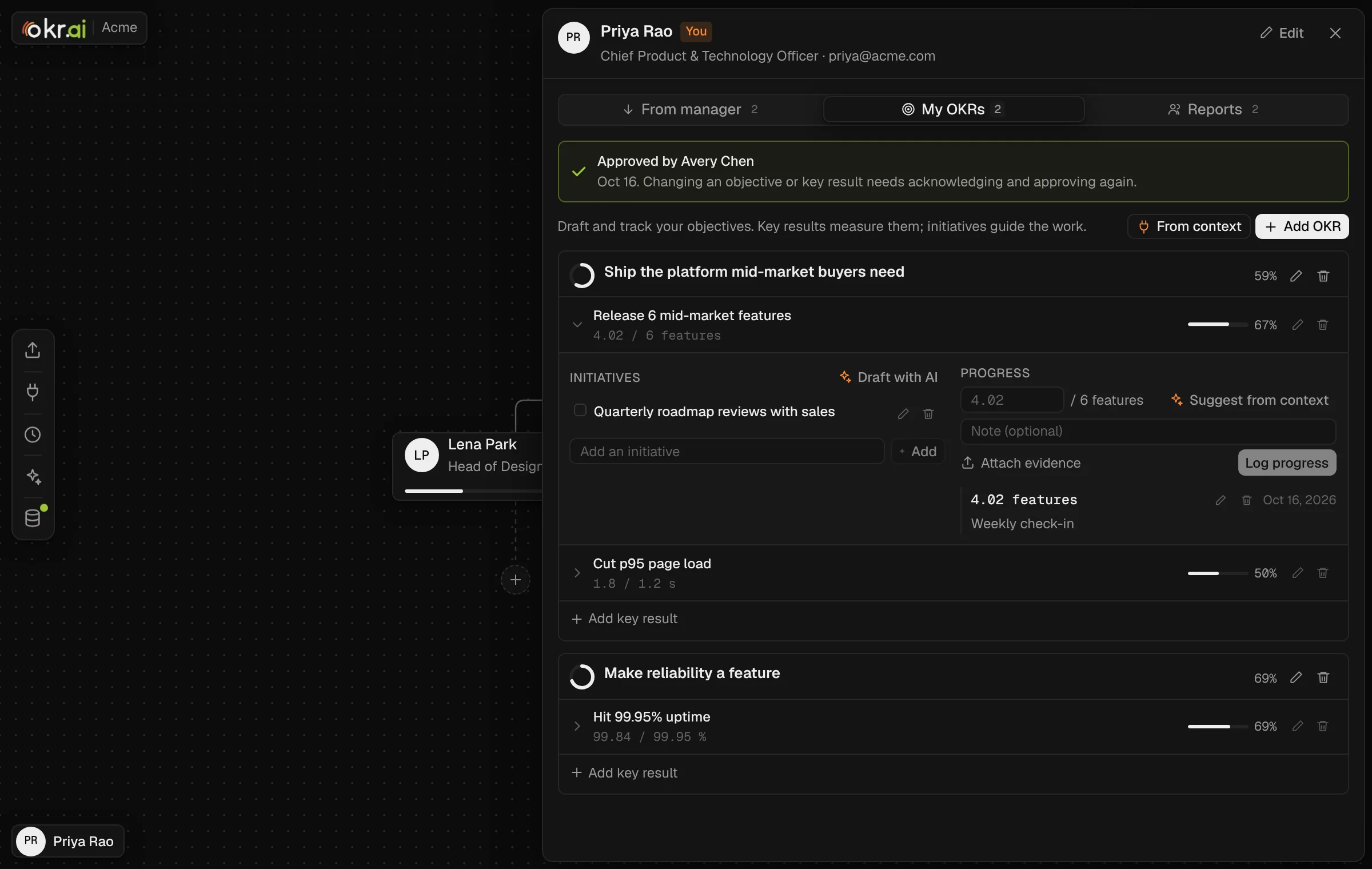
OKR.ai builds this cadence into the tool. Approvals are part of the workflow: owners acknowledge, managers approve, and anything changed since approval is flagged as new or changed. Weekly progress updates carry evidence files, and Suggest from context pre-fills values from Jira, Linear or your incident tool. The scheduler takes recurring snapshots of OKRs, progress and initiatives, so the end-of-quarter state is saved automatically.
Most companies use annual company objectives with quarterly OKRs for teams. Quarters are long enough to move a real number and short enough to learn and adjust four times a year.
Aim to have every team’s OKRs approved by the end of week 3. If planning takes a month, there are too many OKRs or too many approval layers.
Change the plan freely, but change the OKRs only when the strategy changes. Record what changed and why, so the end-of-quarter grade still means something.
The team’s manager, using the numbers the key result owners have already updated. If the meeting is spent collecting numbers, ask owners to update before it starts.